


Mic to Speaker Bluetooth Mic
4.143.00 Reviews
App Specs
- Version
- 3.1.4
- Updated On
- License
- Free
- Downloads
- 1,000,000+
- Developer
- GameChief FZ-LLC
- Categories
- Medical
- Platform
- Android
Screenshots
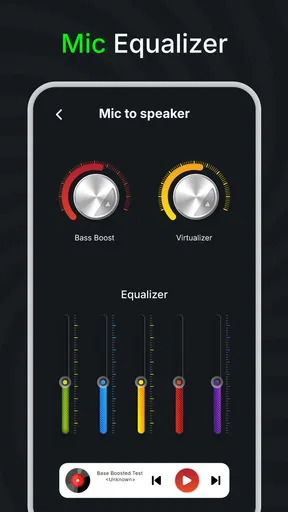
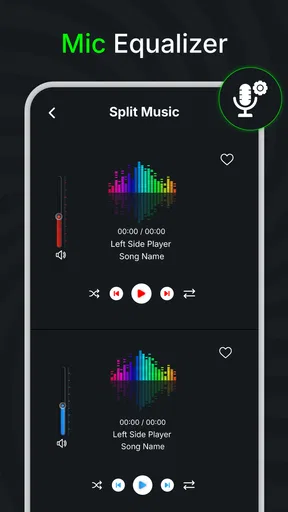
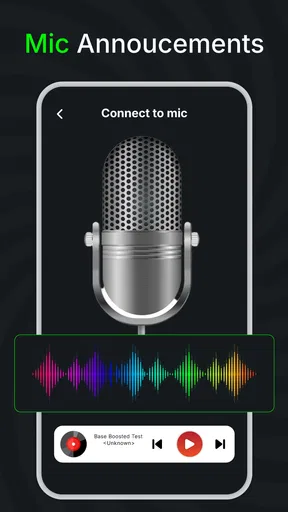
 Analysis by AppCompare
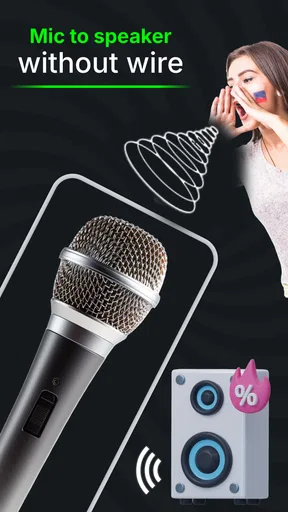
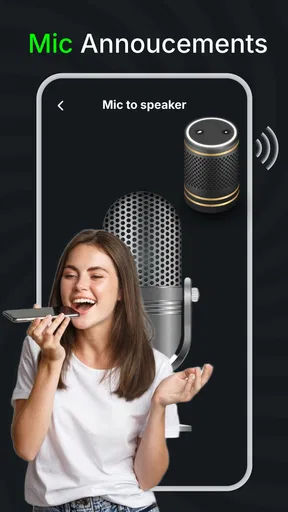
If you’ve ever found yourself in a situation where you need to amplify your voice using your phone, you’re probably going to love this one. The Mic to Speaker Bluetooth Mic app is like having a PA system right in your pocket. Whether you're giving a presentation, hosting a karaoke night, or just want to make sure you're heard in a crowded room, this app turns your smartphone into a wireless microphone. Let's dive in and explore what makes this app tick.
Setting Up: A Breeze for Everyone
First things first, getting the Mic to Speaker Bluetooth Mic app up and running is as easy as pie. You can find it on both iOS and Android platforms, so no one’s left out in the cold. After a quick download and installation process, you’re ready to go. The app connects seamlessly to Bluetooth speakers, which means you can set it up just about anywhere. The interface is clean and intuitive, so even if you’re not the most tech-savvy individual, you’ll have no trouble navigating through the options.
The Interface: Simplicity at Its Best
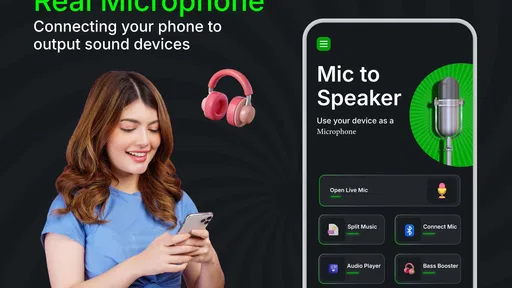
Once you’ve got it open, the app greets you with a straightforward interface. There’s a big, friendly button right in the middle that says "Start," and that’s exactly what you do. Tapping it instantly connects your phone to the speaker, and you’re live. The app also includes basic controls like volume adjustment right at your fingertips, so you can tweak it to your heart’s content.
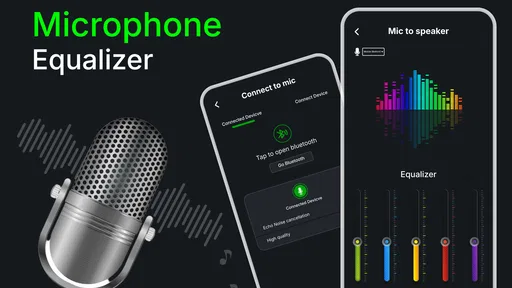
For those who love to tinker with settings, there are a few options to play around with. You can adjust the mic sensitivity if you’re dealing with feedback issues or if you simply want to change how your voice sounds through the speaker. The app also offers an equalizer, which lets you fine-tune the audio output to perfectly match your environment. Pretty neat, right?
Performance: Loud and Clear
I tested the app at a friend’s birthday party, and it was a total hit. The sound quality was surprisingly clear, with no noticeable lag between speaking and the broadcast. This is crucial, especially if you’re using it in a professional setting where timing is everything. The app managed to maintain a consistent connection with the Bluetooth speaker throughout the event, which was impressive considering the crowded room and multiple devices around.
One thing to note, though, is that the app does drain your phone’s battery relatively quickly. You might want to keep a charger handy if you’re planning to use it for an extended period. But hey, that’s a minor inconvenience compared to the convenience it offers.
Features That Stand Out
Aside from the basic mic-to-speaker functionality, the app also has some cool features up its sleeve. For instance, you can record audio directly within the app, which is perfect for capturing important speeches or karaoke performances. The recordings are easy to access and can be shared directly from the app, making it a versatile tool for content creators.
Worth Reading Before You Choose

Flipboard Shows What News Apps Must Do Beyond the Feed

Switching to Android Auto Means Rethinking Your Driving Routine

Google Calendar Makes a Crowded Week Easier to Manage

Ludo King Makes the Most of the Minutes Between Plans

Baby Panda World Brings Quick Play to Modern Phones, but Its Game Library Feels Busy

ESPN’s Live Game View Makes Following Close Games Easier
Another nifty feature is the voice changer. While it’s more of a fun addition than a practical tool, it does add a layer of entertainment value. You can adjust your voice to sound like a robot, a chipmunk, or even an alien. It’s sure to get a few laughs out of your friends at parties.
Final Thoughts: Worth a Try
In a nutshell, the Mic to Speaker Bluetooth Mic app delivers exactly what it promises: a simple, effective way to amplify your voice using a Bluetooth speaker. It’s perfect for both casual and professional use, offering enough features to satisfy a wide range of users. Whether you need a makeshift PA system or just want to have some fun with friends, this app is definitely worth checking out.
So, if you’re on the hunt for a reliable Bluetooth microphone app, give Mic to Speaker Bluetooth Mic a whirl. It's easy to use and gets the job done, making sure your voice is heard loud and clear.
Pros
- Easy Bluetooth connectivity setup.
- Clear audio transmission quality.
- Low latency during playback.
- Compact and portable design.
- Compatible with various devices.
Cons
- Limited battery life duration.
- Occasional connectivity drops.
- Basic app interface design.
- Requires frequent firmware updates.
- Not waterproof or splash-resistant.
FAQs for Mic to Speaker Bluetooth Mic
What is Mic to Speaker Bluetooth Mic and how does it work?
Mic to Speaker Bluetooth Mic is an app that allows your smartphone to function as a wireless microphone, transmitting audio to a Bluetooth speaker. It works by capturing sound through your phone’s microphone and sending it to a connected speaker via Bluetooth, making it ideal for announcements or karaoke.
Is Mic to Speaker Bluetooth Mic compatible with all Bluetooth speakers?
While Mic to Speaker Bluetooth Mic is designed to work with most Bluetooth speakers, compatibility can vary depending on your speaker’s specifications and Bluetooth version. It’s recommended to check if your speaker supports audio input from external devices to ensure smooth operation.
Does using the Mic to Speaker Bluetooth Mic app drain my phone's battery quickly?
Using Mic to Speaker Bluetooth Mic can consume more battery than regular app usage, as both the microphone and Bluetooth are actively used. For prolonged sessions, it’s advised to ensure your device is fully charged or connected to a power source to avoid unexpected shutdowns.
Can I use Mic to Speaker Bluetooth Mic for professional events?
While Mic to Speaker Bluetooth Mic can be useful for casual events or small gatherings, it might not deliver the professional audio quality needed for larger or formal events. Background noise and latency could affect performance, so testing in advance is recommended to assess suitability.
Does Mic to Speaker Bluetooth Mic require an internet connection to function?
No, Mic to Speaker Bluetooth Mic does not require an internet connection to function. It relies on Bluetooth connectivity between your phone and the speaker. However, an active internet connection may be needed for app updates or accessing additional features.


